
Contact Us
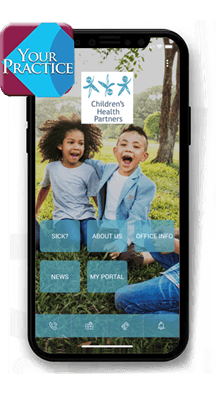
Get Our Mobile App
Now you can connect with Children's Health Partners anywhere, anytime with our new mobile app!
Downloading our mobile app is free and easy. Just follow the simple steps below and you're on your way. You will have access to specific medical content, emergency information, and contact numbers anywhere and anytime you and your family need them ... at the park, skiing, camping, bowling biking, hiking, swimming, or just driving in the car!
Download Instructions
- 1Use the button below to enter the app store specific to your phone type (iPhone = Apple, Android = Google)
- 2Search for the app called "Your Practice"
- 3Download the "Your Practice" app to your smartphone
- 4Open the "Your Practice" app and search for the words "Children's Health Partners"
- 5Choose "Children's Health Partners"
- 6Children's Health Partners's app content will then download to your smartphone (this may take some time)
Anytime you need to connect to Children's Health Partners, just click on the "Your Practice" app. You can refresh or reload the app by using the menu at the upper right.
Need Help?
Give us a call if you have any questions about downloading or using the mobile app.
Call Us: 630-848-1700